One Dashboard to Install & Manage Every MetaTrader Instance
Install MT4 or MT5 for any broker, spin up multiple isolated terminals in seconds, and launch, auto-start, or remove instances — all from a single app on your MarginVPS server.
See It In Action
A quick walkthrough of installing MetaTrader and managing multiple instances with the MarginVPS MetaTrader Manager.
Take a Look Inside
A single, lightweight interface for everything MetaTrader-related on your VPS.
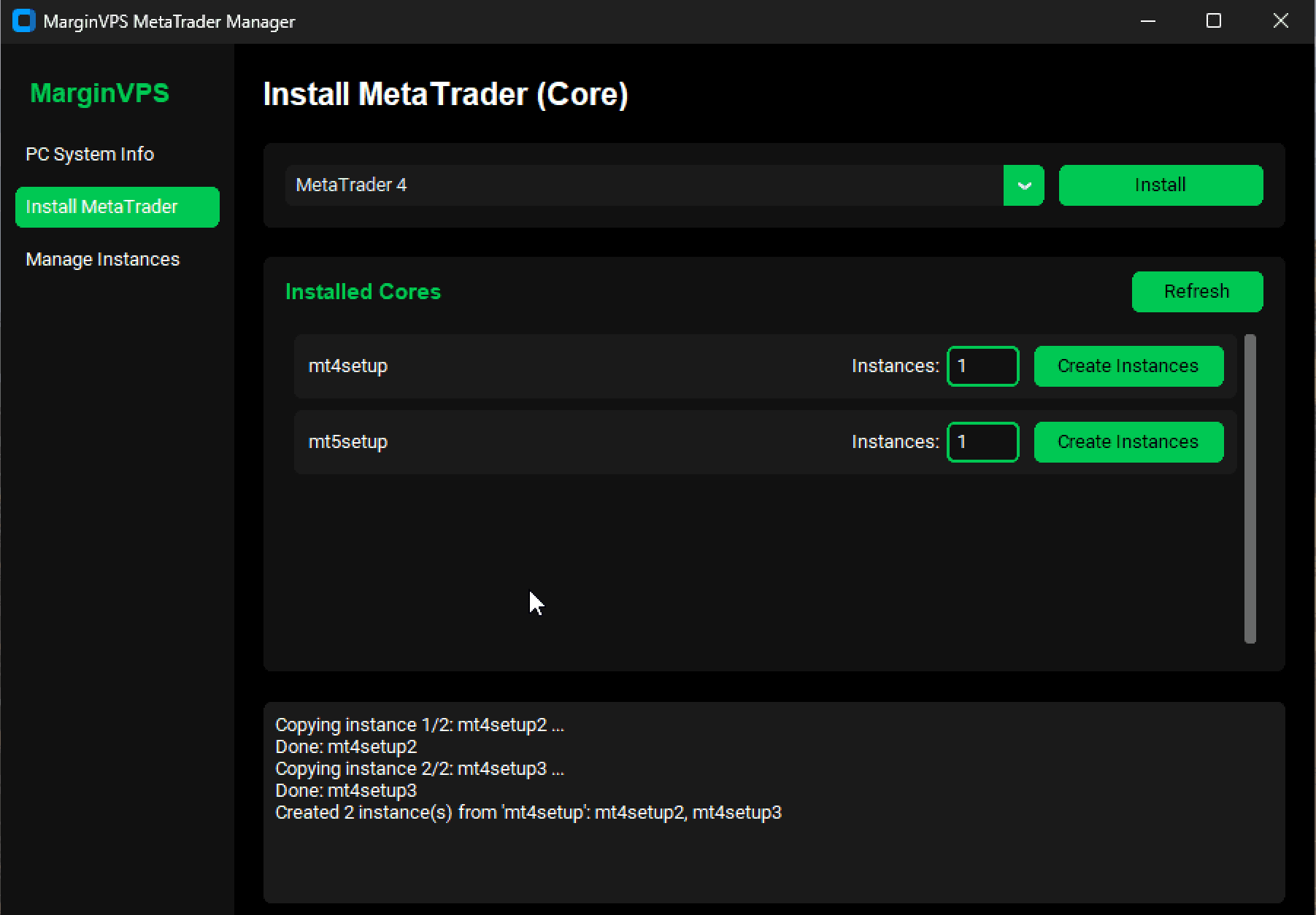
Install & Create Instances
Choose a broker and MetaTrader version, install it, then generate as many isolated instances as you need.
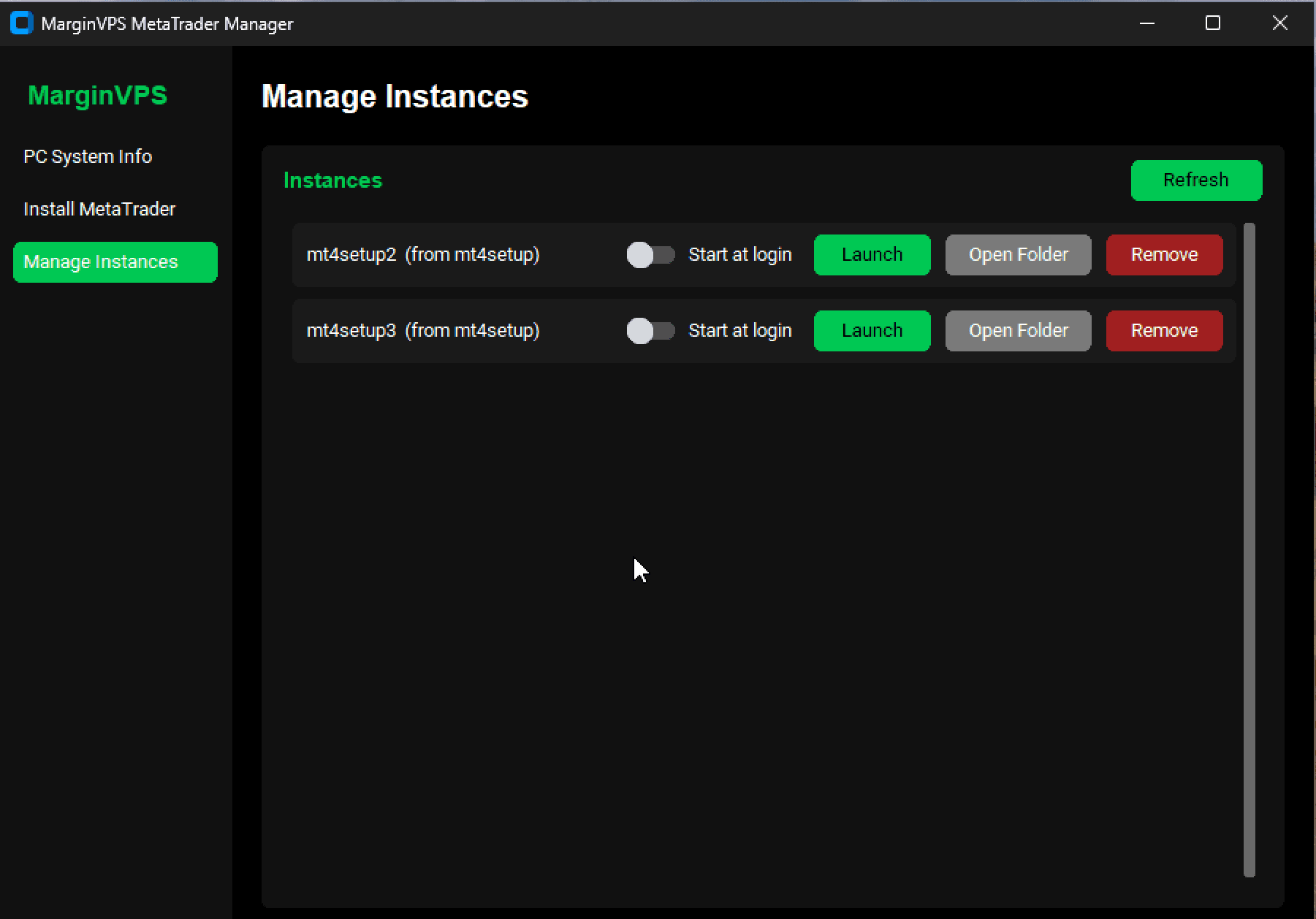
Manage Instances
Launch, enable start-at-login, open the folder, or remove any instance from a single list.
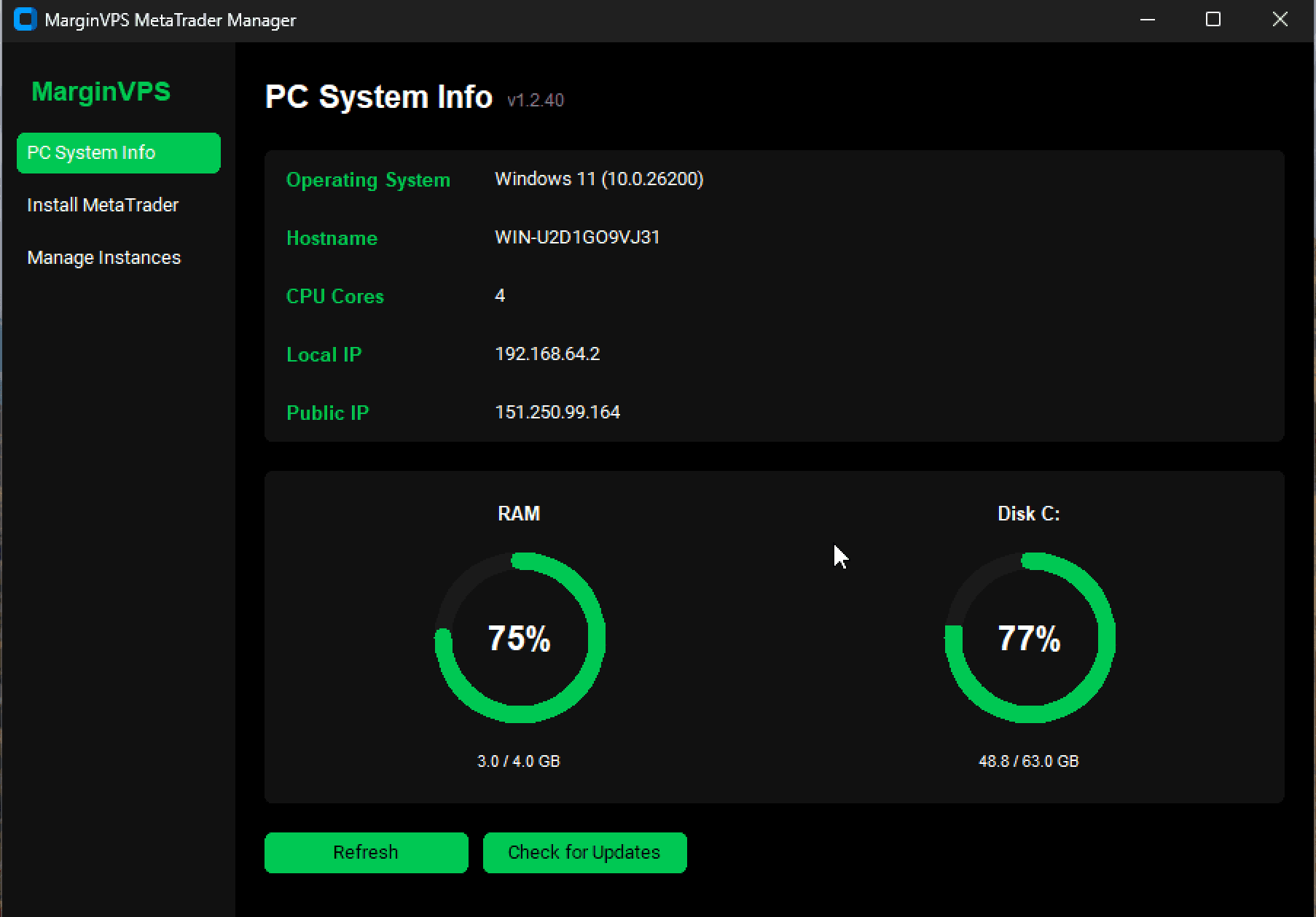
PC System Info
Check OS, CPU cores, RAM, and disk usage at a glance to keep an eye on your VPS resources.
What You Can Do
Install for Any Broker
Pick a broker and MetaTrader version, then click Install — the app downloads and installs it automatically.
Isolated Multi-Instance Terminals
Spin up as many independent MT4 or MT5 copies as you need, each running its own accounts and EAs without conflicts.
One-Click Launch
Start any instance straight from the manager instead of hunting through installation folders.
Auto-Start with Windows
Set any instance to launch automatically on boot, so your EAs are back online the moment your VPS restarts.
How It Works
Choose Broker & Platform
Select your broker from the list, then choose MetaTrader 4 or MetaTrader 5.
Install with One Click
Click Install and the correct MetaTrader build downloads and installs automatically.
Create Your Instances
Enter how many instances you need — the app generates isolated copies automatically.
Manage from One Dashboard
Launch, auto-start, organize, or delete any instance without leaving the app.
Simple pricing for every trading setup
Every plan runs on dedicated resources with your trading platform pre-installed and 24/7 support included. Upgrade any time, no long-term contract.
Basic VPS
Best for 1–2 trading accounts
$200 billed yearly
Launch NowPre-installed platforms
Compatible with any broker or trading platform
- Locations
- LD4, NY4, FR2, TY3, SG1, HK1, DUB1
- Latency
- ~1ms or less to most brokers
- CPU
- 2 CPU Cores
- RAM
- 2 GB DDR5
- Storage
- 60 GB NVMe
- OS
- Windows Server (Licensed)
- IP Address
- 1 Dedicated IP Address
- Uptime
- 99.99% Uptime SLA
View all features
- Works with any broker
- Works with any trading platform
- Dedicated IP address
- Automated daily backups
- Firewall & DDoS protection
- MT4 & MT5 pre-installed
- 99.99% uptime SLA
- 14-day money-back guarantee
- 24/7/365 technical support
- 1-click platform installer
- Network tuned for trade execution
- Proactive uptime monitoring
Standard VPS
Best for 3–6 trading accounts
$320 billed yearly
Launch NowPre-installed platforms
Compatible with any broker or trading platform
- Locations
- LD4, NY4, FR2, TY3, SG1, HK1, DUB1
- Latency
- ~1ms or less to most brokers
- CPU
- 2 CPU Cores
- RAM
- 4 GB DDR5
- Storage
- 70 GB NVMe
- OS
- Windows Server (Licensed)
- IP Address
- 1 Dedicated IP Address
- Uptime
- 99.99% Uptime SLA
View all features
- Works with any broker
- Works with any trading platform
- Dedicated IP address
- Automated daily backups
- Firewall & DDoS protection
- MT4 & MT5 pre-installed
- 99.99% uptime SLA
- 14-day money-back guarantee
- 24/7/365 technical support
- 1-click platform installer
- Network tuned for trade execution
- Proactive uptime monitoring
Professional VPS
Best for 7–8 trading accounts
$480 billed yearly
Launch NowPre-installed platforms
Compatible with any broker or trading platform
- Locations
- LD4, NY4, FR2, TY3, SG1, HK1, DUB1
- Latency
- ~1ms or less to most brokers
- CPU
- 4 CPU Cores
- RAM
- 8 GB DDR5
- Storage
- 100 GB NVMe
- OS
- Windows Server (Licensed)
- IP Address
- 1 Dedicated IP Address
- Uptime
- 99.99% Uptime SLA
View all features
- Works with any broker
- Works with any trading platform
- Dedicated IP address
- Automated daily backups
- Firewall & DDoS protection
- MT4 & MT5 pre-installed
- 99.99% uptime SLA
- 14-day money-back guarantee
- 24/7/365 technical support
- 1-click platform installer
- Network tuned for trade execution
- Proactive uptime monitoring
Need more power? Dedicated Server — Up to 25 trading accounts
From $145.83/mo · In stock — ready within 24 hours
MetaTrader Manager FAQ
Is the MetaTrader Manager free?
Yes. It's included free with every MarginVPS plan — install it on your VPS and start managing terminals right away.
Which brokers does it support?
Any broker offering MetaTrader 4 or MetaTrader 5. Select your broker from the list and the app installs directly from their official installer.
How many MetaTrader instances can I run?
As many as your VPS resources support. Enter the number of instances you want and the app creates fully isolated copies automatically.
Can I run MT4 and MT5 instances at the same time?
Yes. Install and manage both platforms side by side, and mix instances of each in the same dashboard.
Do instances share settings or conflict with each other?
No. Each instance is fully isolated, so accounts and Expert Advisors run independently without interfering with one another.