Limited-Time Offer —
Save 40% on Forex VPS
Ends in
3d 18h 43m 17s

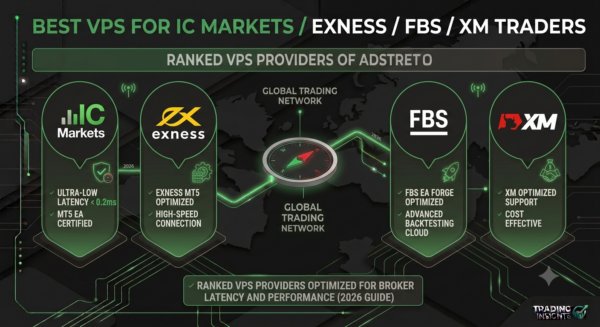
If you trade with IC Markets, Exness, FBS, or XM and run Expert Advisors, copy trading, or scalping strategies, a Forex VPS isn’t a luxury — it’s part of your infrastructure. A slow or poorly located VPS can mean missed entries, requotes, and EAs that silently stop running while you sleep.
This guide breaks down the best VPS setup for each of these four brokers, and where MarginVPS fits for each one — since server location, execution speed, and platform compatibility can vary depending on which broker you use.
Not all forex VPS providers are equal for every broker. Two things matter most:
Picking a VPS without checking these two factors is the most common mistake new algo traders make.
IC Markets’ Raw Spread and cTrader accounts route through Equinix data centers in New York (NY4) and London (LD4) — which happen to be two of MarginVPS’s three core locations.
Best for: scalpers and cTrader algo traders needing sub-millisecond execution near LD4/NY4.
Exness has one of the largest global server networks among retail brokers. This makes VPS selection easier because you have more location options, but it also means matching the right region matters.
Best for: traders using high leverage or the Zero account who need consistent uptime.
FBS traders are often running smaller accounts, copy trading, or cent accounts alongside standard ones — so cost-efficiency without sacrificing reliability matters most here.
Best for: copy traders and cent/standard account holders looking for reliable, budget-friendly hosting.
XM is popular for EA and multi-terminal setups, with many traders running several MT4 instances across Micro, Standard, and Ultra Low account types simultaneously.
Best for: traders running multiple MT4 instances or several EAs across account types.
| Broker | Key Priority | Recommended Plan | Why |
|---|---|---|---|
| IC Markets | Ultra-low latency (LD4/NY4), cTrader support | Pro ($13.25/mo) | Handles cTrader + multiple EAs near Equinix locations |
| Exness | Server-matched location, high uptime | Elite ($21.25/mo) | NVMe SSD + 100% uptime for high-leverage/Zero accounts |
| FBS | Cost-efficiency, multi-account support | Basic ($8.25/mo) | Covers 1–2 EAs on cent/standard accounts affordably |
| XM | Multi-terminal stability | Pro ($13.25/mo) | 6GB RAM supports 3–6 EAs across account types |
(Prices reflect current annual billing rates at time of writing — check the VPS Plans page for current pricing, as promotions change.)
Before purchasing any VPS plan:
Skipping this step is the single biggest reason traders end up with a VPS that doesn’t actually improve their execution speed.
Do I need a different VPS for each broker if I trade with more than one? Not necessarily. Every MarginVPS plan works with all brokers, terminals, and EAs, so you can run IC Markets and Exness (or any combination) on one VPS as long as your CPU/RAM specs support it.
Which MarginVPS location should I pick for IC Markets or Exness? Both brokers route through Equinix LD4 (London) and NY4 (New York). Check your terminal’s assigned server name, then pick the matching London or New York MarginVPS location.
How much latency is “good enough” for scalping? Generally under 5–10ms round-trip to your broker’s server is strong for scalping; under 1–2ms is excellent and mainly achievable when your VPS shares the same data center as your broker, which is why MarginVPS’s LD4 and NY4 locations matter for IC Markets and Exness traders specifically.
Can I upgrade my plan later if I add more EAs? Yes — all MarginVPS plans can be upgraded anytime, so you can start on Basic or Pro and move up to Elite as your EA count or account count grows.
Related reading: Forex VPS vs Normal VPS – Which One Do You Really Need? · MT4 VPS · MT5 VPS · cTrader VPS · View All VPS Plans