Why Forex Traders Need a VPS for MT4/MT5 (2026 Guide)
Written by MarginVPS Infrastructure Team
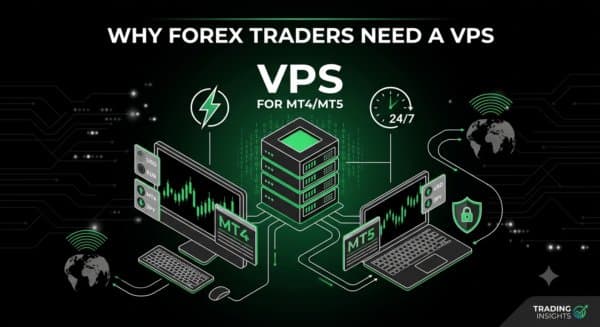
Forex trading runs 24 hours a day, five days a week. Whether you trade manually on MT4/MT5, run Expert Advisors (EAs), or copy trades across multiple accounts, your setup only works if it’s always online and always fast. That’s the entire case for a Forex VPS — and why it’s become standard infrastructure for anyone trading seriously rather than casually.
This guide covers what a Forex VPS actually does, when you need one, how to choose the right specs, and what to watch out for.
What Is a Forex VPS?
A Forex VPS (Virtual Private Server) is a remote computer, hosted in a professional data center, dedicated to running your trading software — MT4, MT5, cTrader, or EAs — continuously. You connect to it via Remote Desktop (RDP) from any device, and it keeps running whether your laptop is open, closed, or on the other side of the world.
Unlike your home PC, a VPS is built for uninterrupted uptime, sits on enterprise-grade network infrastructure, and — critically for trading — can be physically located close to your broker’s server to cut execution latency.
If you’re deciding between running MT4/MT5 on your own machine versus a VPS, see our Forex VPS vs. Normal VPS comparison for a full breakdown.
Why a Home Computer Isn’t Enough
Home networks aren’t built for mission-critical trading. A few common failure points:
- ISP outages or router resets — a dropped connection during an open position can be costly
- Distance to broker servers — your home connection typically travels much farther than a data-center-hosted VPS, adding latency
- Resource strain — running multiple MT4/MT5 terminals or EAs on a personal laptop slows performance and can cause missed executions
- Availability — if you travel or can’t leave your PC running 24/7, your trading system goes offline with it
A VPS removes all of these variables by keeping your terminal on dedicated, always-on infrastructure.
Latency: Why Location Matters
For scalpers, grid traders, and high-frequency strategies, latency has a direct, measurable impact on execution quality and slippage. This is where VPS location becomes as important as the VPS itself — a server needs to sit physically close to your broker’s server, not just “somewhere in the cloud.”
For example:
- Traders on US-based brokers or trading USD pairs benefit most from a New York (NY4) VPS
- Traders on European brokers typically see the lowest ping from a London (LD4) VPS
- Asian session traders benefit from Tokyo or Singapore-based servers
Choosing the wrong region can mean 80-150ms of avoidable latency — often the difference between a filled order at your intended price and slippage. Our guide to choosing VPS location walks through matching your broker to the right data center.
What to Look For in a Forex VPS
| Feature | Why It Matters |
|---|---|
| Latency to your broker’s server | Directly affects slippage and execution speed, especially for scalping/EA strategies |
| Uptime guarantee (99.9%+) | Your trading system needs to never silently go offline |
| RAM & CPU allocation | Multiple MT4/MT5 terminals or EAs running simultaneously need real resources, not oversold shared specs |
| Pre-installed MT4/MT5 | Saves setup time and avoids configuration errors |
| DDoS protection & security | Trading accounts and platforms are a real target — basic firewalling isn’t enough |
| 24/7 support | Markets don’t stop for business hours; neither should support |
If you’re running multiple EAs or several charts simultaneously, see our MT4/MT5 optimization guide for specific RAM/CPU recommendations by strategy type.
Do You Actually Need One?
A VPS is worth it if any of these apply to you:
- You run automated EAs or copy-trading systems
- You trade multiple accounts simultaneously
- You scalp or run high-frequency strategies where milliseconds matter
- You travel or can’t guarantee your home PC/internet stays online
- You’ve experienced a missed trade or disconnect that cost you money
If you only place a few manual trades a week and aren’t latency-sensitive, a VPS is a nice-to-have rather than essential — though the cost is usually low enough that most active traders use one anyway. Our cheap Forex VPS guide breaks down the cost-vs-benefit math in more detail.
Frequently Asked Questions
Does a VPS eliminate slippage completely? No — a VPS reduces latency-related slippage significantly but can’t remove slippage caused by market volatility or your broker’s liquidity. It removes your connection as a source of delay.
How much RAM do I need for MT4/MT5 on a VPS? For a single terminal with a few EAs, 2GB is typically enough. For multiple terminals, multiple EAs, or high-frequency strategies, 4-8GB is safer. See our optimization guide for strategy-specific recommendations.
Can I use a VPS with any broker? Yes — a VPS runs MT4/MT5 (or cTrader) independent of your broker. What matters is choosing a VPS location close to your specific broker’s server, not the broker itself restricting VPS use.
Is a VPS legal and allowed by brokers? Yes, VPS use is standard practice and explicitly supported by virtually all forex brokers. Some brokers even offer VPS rebates for active traders.
This guide is maintained by the MarginVPS infrastructure team, operating low-latency trading servers across London (LD4), New York (NY4), Frankfurt, Tokyo, and Singapore data centers.
Ready to stop losing milliseconds to your home connection?
MarginVPS runs your MT4, MT5, or cTrader terminal on a low-latency VPS inside your broker's data center — from $16.67/mo, with an extra 20% off using code EXTRA20OFF.
View VPS Plans →